Convert 3D
    Convert
    3D

    Convert 3D models

    Free, secure and fully offline. Just drag and drop your 3D model file to convert it to any popular format.

    or drop files
    Privacy Protected
    No model?
    Try one of these:
    Trusted by more than 1,300,000 users since 2023
    80 Level
    Adidas
    Amazon
    Berkeley
    BMW
    Bosch
    CGChannel
    EA
    Foster + Partners
    Google
    NVIDIA
    RISD
    Siemens
    Walmart
    80 Level
    Adidas
    Amazon
    Berkeley
    BMW
    Bosch
    CGChannel
    EA
    Foster + Partners
    Google
    NVIDIA
    RISD
    Siemens
    Walmart

    Popular Formats

    See all
    step
    .step
    stp
    .stp
    amf
    .amf
    Industry Foundation Classes (IFC) format
    .ifc
    obj
    .obj
    Autodesk FBX
    .fbx
    stl
    .stl
    gcode
    .gcode
    nc
    .nc
    Rhino 3DM
    .3dm
    glTF
    .glb
    Universal Scene Description
    .usd
    Universal Scene Description
    .usda
    Universal Scene Description
    .usdz
    Universal Scene Description
    .usdc
    3ds Max
    .max
    glTF
    .gltf
    Blender 3D
    .blend

    Free online 3D model converter software

    Our online 3D model converter is completely free, fast and secure. You can convert as many files as you want, no limit. All conversions happen in your browser, so there is nothing to install, and your files are not uploaded to any server.

    That also means Convert3D works on any platform, including Windows, Mac, Linux and ChromeOS and browsers like Chrome, Safari, Firefox, Edge and Brave.

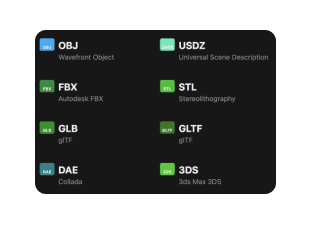
    We support more than 1000+ possible conversions, including tough ones like USDZ and STEP, as well as the most common 3D model formats such as FBX, OBJ, GLTF and DAE.

    How to convert 3D models

    Step 1

    Drag in your model

    Scroll to the top of this page, or choose a specific converter. Drag in your 3D model file.

    Step 2

    Preview in full 3D

    We instantly preview your model in 3D. You can rotate, zoom and pan around to inspect it and make sure you have the right file.
    Step 3

    Pick an export format

    Choose the format to convert to. The file will immediately start downloading.

    Popular Conversions

    See all
    step

    step

    Convert STEP file to →

    .stp
    .obj
    .fbx
    .stl
    .3dm
    .glb
    .usdz
    .gltf
    .dae
    .3ds
    .ply
    .3mf
    .x
    .rbxm
    .rbxl
    stp

    stp

    Convert STEP file to →

    .obj
    .fbx
    .stl
    .3dm
    .glb
    .usdz
    .gltf
    .dae
    .3ds
    .ply
    .3mf
    .x
    .rbxm
    .rbxl
    amf

    amf

    Convert Additive Manufacturing File Format file to →

    .stp
    .obj
    .fbx
    .stl
    .3dm
    .glb
    .usdz
    .gltf
    .dae
    .3ds
    .ply
    .3mf
    .x
    .rbxm
    .rbxl
    Industry Foundation Classes (IFC) format

    ifc

    Convert Industry Foundation Classes (IFC) format file to →

    .stp
    .obj
    .fbx
    .stl
    .3dm
    .glb
    .usdz
    .gltf
    .dae
    .3ds
    .ply
    .3mf
    .x
    .rbxm
    .rbxl
    obj

    obj

    Convert Wavefront Object file to →

    .stp
    .fbx
    .stl
    .3dm
    .glb
    .usdz
    .gltf
    .dae
    .3ds
    .ply
    .3mf
    .x
    .rbxm
    .rbxl
    Autodesk FBX

    fbx

    Convert Autodesk FBX file to →

    .stp
    .obj
    .stl
    .3dm
    .glb
    .usdz
    .gltf
    .dae
    .3ds
    .ply
    .3mf
    .x
    .rbxm
    .rbxl
    stl

    stl

    Convert Stereolithography file to →

    .stp
    .obj
    .fbx
    .3dm
    .glb
    .usdz
    .gltf
    .dae
    .3ds
    .ply
    .3mf
    .x
    .rbxm
    .rbxl
    gcode

    gcode

    Convert G-Code file to →

    .stp
    .obj
    .fbx
    .stl
    .3dm
    .glb
    .usdz
    .gltf
    .dae
    .3ds
    .ply
    .3mf
    .x
    .rbxm
    .rbxl

    Engineered for privacy

    3D models are often key to your business. We believe that means you should be in control of them and do everything to keep them private.

    Nothing uploaded

    Model conversion happens locally on your machine. Nothing is uploaded to our servers.

    No login required

    Your conversions are 100% anonymous. No sign up, no credit card.

    No PII tracking

    We track anonymous usage data and statistics so we know what to improve, but nothing that can be used to identify you.

    Convert3D API

    Integrate 3D model conversion into your applications. Convert between 1000+ format combinations programmatically with our reliable REST API.

    ✓Simple REST API
    ✓1000+ possible format combinations
    ✓High performance conversion engine
    ✓Flexible pricing plans

    FAQ

    Read more about Convert3D or get in touch on hello@convert3d.org

    Convert 3D

    Company

    BlogAbout

    Tools & API

    ConvertCompressRenderViewDesktop AppDeveloper API

    Community

    Discord
    © Sharkato JV 2025
    PrivacyTerms